
How to Buy an eSIM
In short · TL;DR
- Check that your phone supports eSIM and is unlocked before you pay.
- Buy before travel if you want the QR code ready in your inbox.
- Choose data by trip length, map use, messaging, work, and video habits.
- Plans can start from less than $1, but always compare coverage and limits.

What does it mean to buy an eSIM?
To buy an eSIM means buying a downloadable mobile data profile instead of a removable plastic SIM card. The “e” stands for embedded: the SIM hardware is already built into many modern phones, tablets, and some laptops. What you purchase is the carrier profile that tells your device which network to use and what data plan is attached to it.
For travellers, the process is usually simple: choose a destination and plan, pay online, then receive installation details by email. With services like Vlex eSIM, the QR code is sent to your inbox right after payment, so you do not need to find a mobile shop at the airport, show a passport at a counter, or wait for a physical SIM to be delivered. You scan the QR code in your phone settings, install the plan, and switch mobile data to the new eSIM when you are ready.
Key idea: an eSIM does not replace your phone; it adds a digital mobile plan to a device that already supports eSIM technology.
One of the biggest practical benefits is that you can usually keep your main number active. For example, you may leave your home SIM in place for banking texts or calls from family, while using the travel eSIM for maps, ride-hailing, messaging, translation apps, and browsing. On many phones, this works like a dual-SIM setup: one line handles your usual number, and the other handles mobile data abroad.
Buying an eSIM is also different from buying airport Wi-Fi or a pocket router. You are not sharing a separate device or searching for hotspots; the connection lives directly on your phone. That makes it especially convenient when you land late, move between cities, or need data immediately for transport, hotel check-in, or messaging someone who is meeting you.
Is my phone ready for eSIM before I pay?
Before you buy esim for a trip, take a few minutes to check whether your phone can actually install and use it. This step is easy to skip when you are in a hurry, but it prevents the most frustrating situation: paying for a plan and then discovering that your device is locked, unsupported, or not ready for installation.
Compatibility is not only about the model name. The same phone family can have different versions depending on where it was sold, and some devices that look modern still do not include eSIM support. Your mobile carrier settings, operating system version, and network lock status can all affect whether installation works smoothly.
- Check eSIM support in your device settings. Look for options such as “Add eSIM,” “Add mobile plan,” or “Use QR code” under cellular or mobile network settings. If you cannot find any eSIM option, confirm your exact model before purchasing.
- Make sure the phone is unlocked. A carrier-locked phone may reject travel eSIM profiles even if the device technically supports eSIM. If you bought the phone through a mobile operator, check the lock status before you pay.
- Use stable Wi-Fi during installation. The QR code starts a download and activation process, so airport Wi-Fi that drops every few minutes can cause unnecessary stress. Home, hotel, or office Wi-Fi is usually a better choice.
- Update your operating system first. A recent iOS or Android version can improve eSIM setup menus and reduce activation errors. Restarting the phone after an update is also a sensible step before scanning the QR code.
- Read the activation instructions before scanning. Some plans should be installed before departure, while others start counting from first connection in the destination. Knowing the timing helps you avoid wasting validity or trying to activate at the wrong moment.
If anything is unclear, check before paying rather than after landing. Vlex eSIM provides 24/7 support on Telegram at @supprtbots, which is useful if you are unsure about setup steps, QR-code use, or when to activate the plan. A few minutes of preparation can save you from trying to solve a technical issue at baggage claim with no mobile data.
eSIM vs physical SIM — which is better for travel?
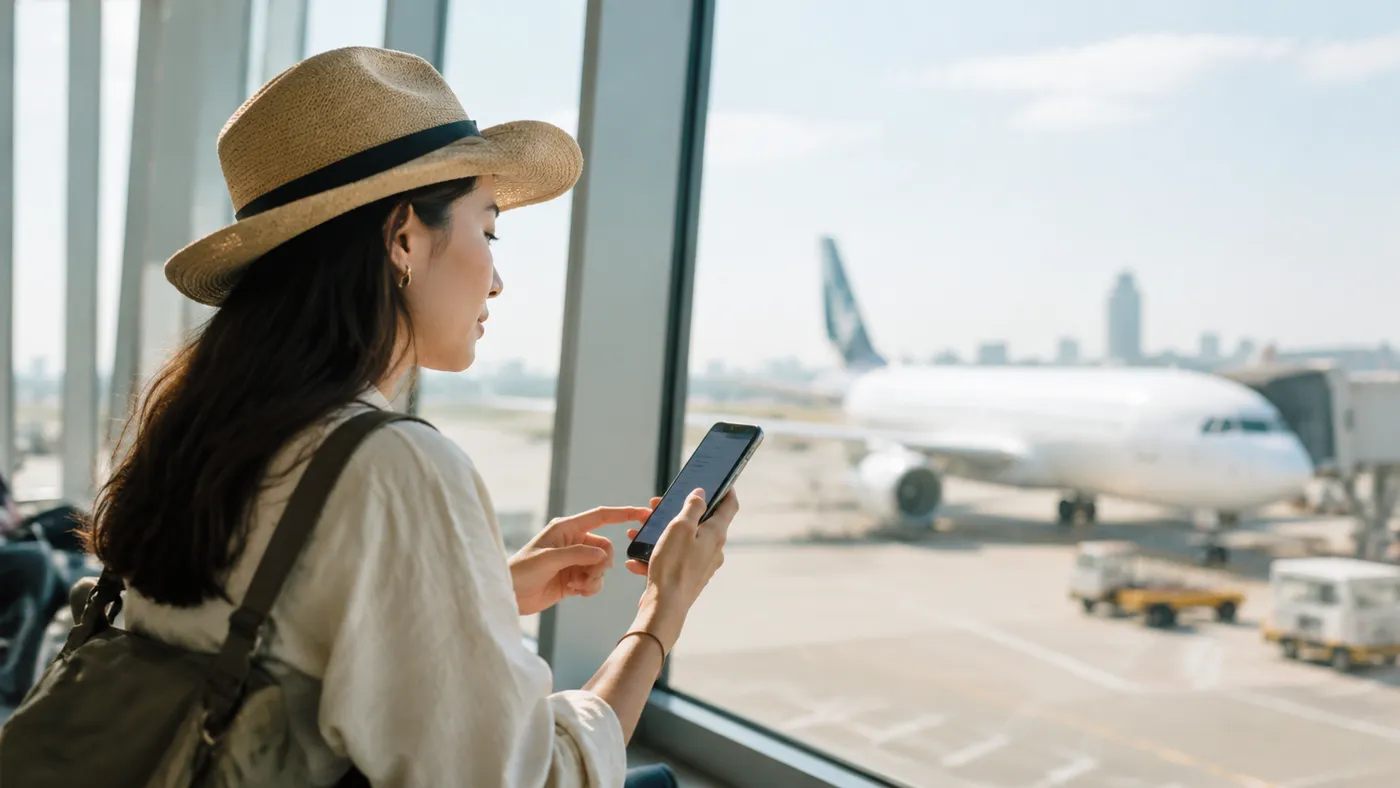
For travel, the better choice is usually the one that removes friction at the exact moment you need the internet most: when you land, find transport, message your accommodation, or open a map. A physical SIM can still be useful in some places, especially if you want a local phone number or if your device does not support eSIM. But for many short trips, multi-country routes, and airport arrivals, an eSIM is simply easier to prepare before you leave.
The most practical way to compare them is not by abstract advantages, but by real travel situations. Think about what happens at midnight in a new airport, when the SIM kiosk is closed, or during a two-country trip where you do not want to keep swapping tiny plastic cards. Here is how eSIM and physical SIM usually behave in those moments.
| Criterion | eSIM | Physical SIM |
|---|---|---|
| Airport arrival | You can install the plan before departure and turn it on after landing, so maps, rides, and messages work without hunting for a kiosk. | You may need to find a shop, queue, show a passport in some destinations, and wait for the card to be activated. |
| Dual-SIM use | You can often keep your home SIM active for calls or banking codes while using the eSIM for mobile data abroad. | If your phone has one SIM slot, you may need to remove your home SIM and risk missing calls or SMS codes. |
| Setup speed | Setup is usually a QR-code scan plus a few phone settings, best done on Wi-Fi before you travel. | Setup means buying the card, inserting it, possibly restarting the phone, and waiting for network registration. |
| Losing or damaging the SIM | There is no tiny card to lose, bend, or leave in a hotel drawer. | The small card and ejector pin are easy to misplace, especially when changing SIMs in taxis, airports, or cafes. |
| Switching destinations | You can add or switch digital plans without visiting a store, which is convenient for regional trips. | You may need a new local SIM in each country, or a roaming package from the same provider. |
The biggest eSIM advantage is preparation. You can buy eSIM before your flight, install it on Wi-Fi at home or in the hotel, and avoid turning your first hour abroad into a connectivity errand. This matters if you rely on online check-in, digital boarding passes, ride-hailing apps, train tickets, or messaging apps to meet someone.
Dual-SIM use is another strong travel case. Many travellers want to keep their regular number active for bank verification codes, work calls, or family messages, while using a travel eSIM only for data. On supported phones, this lets you separate your “identity” line from your “internet” line, which is cleaner than replacing your home SIM entirely.
A physical SIM is not pointless, though. It may be the right choice if your phone is not eSIM-compatible, if it is carrier-locked, or if you specifically need a local number for calls and texts. Some longer stays can also justify a local physical SIM, especially when you plan to handle paperwork, deliveries, or local services that expect a domestic phone number.
For most travellers, the decision comes down to control versus local extras. If you mainly need reliable mobile data for maps, messaging, bookings, and browsing, an eSIM is usually the more convenient route. If you need local voice services, your phone lacks eSIM support, or you prefer face-to-face setup in a shop, a physical SIM may still be worth considering.
Thinking about an eSIM for your next trip?
Instant QR delivery, 253+ destinations, prices from $0.99. No physical SIM, no roaming surprises.
How do I buy eSIM and activate it without stress?
The calmest way to buy and activate an eSIM is to separate the process into two moments: purchase before you travel, activation when you actually need the connection. Most problems happen when people rush the setup at the airport with weak Wi-Fi, low battery, or no access to the QR code. Give yourself a few minutes somewhere comfortable and the process is usually straightforward.
With Vlex eSIM, the QR code is delivered to the buyer’s inbox right after payment, which makes the setup predictable: choose the destination, complete the order with an international card, then install the eSIM while you still have stable Wi-Fi. If anything feels unclear, 24/7 Telegram support is available at @supprtbots, so you are not left guessing through phone settings alone.
- Choose your destination. Select the country or region where you need mobile data. If your route includes several countries, check whether a regional plan fits better than separate single-country plans.
- Select a suitable data plan. Match the plan to your trip length and habits. Light users may only need maps and messages, while video calls, hotspot use, and frequent uploads require more data.
- Pay with an international card. Complete the checkout using a supported international payment card. Use an email address you can access from your phone, because that is where your setup details and QR code will arrive.
- Install the QR code on Wi-Fi. Open your phone’s cellular settings and scan the QR code, or enter the details manually if needed. Do not delete the eSIM after installation unless support tells you to, because many eSIMs are designed for one-time installation.
- Label the new line clearly. Name it something practical, such as “Travel Data” or the destination name. This helps you avoid accidentally using your home SIM for roaming data.
- Turn on the right settings after arrival. Set the eSIM as your mobile data line and enable data roaming for that eSIM if the instructions require it. Keep your home SIM’s data roaming off unless you intentionally want to use it.
Before boarding, check that the eSIM appears in your phone settings, but do not worry if it does not connect to a network yet. Many travel eSIMs only register once you are physically in the destination and within reach of the partner network. After landing, turn off airplane mode, select the eSIM for data, and wait briefly while the phone finds service.
If mobile data does not start immediately, the fix is usually simple: confirm the eSIM is turned on, check that it is selected for mobile data, enable data roaming for that line if required, and restart the phone. Also make sure your device is unlocked and supports eSIM. These checks solve most activation issues without needing to buy another plan.
How much data should you choose?
Choosing data is less about finding a perfect number and more about matching the plan to how you actually travel. A weekend where you mostly use hotel Wi-Fi is very different from a two-week trip where your phone is your map, translator, ticket wallet, hotspot, and work backup. Before you buy an eSIM, think through the moments when mobile data will matter most: leaving the airport, navigating public transport, calling a ride, checking bookings, and messaging people who are waiting for you.
A good rule is to separate “must-have” use from “nice-to-have” use. Maps, messaging, email, boarding passes, banking apps, and ride-hailing are usually essential. Streaming video, cloud backups, large app updates, and long hotspot sessions are optional and can often wait for Wi-Fi. If the eSIM will be your main connection, leave a buffer rather than choosing the smallest plan that looks barely enough.
- Messaging and everyday apps: Text chat, email, travel apps, online check-in, and basic browsing are usually light compared with video or hotspot use. If this is most of what you need, a smaller plan may be enough for a short trip, especially when you can use Wi-Fi at your hotel.
- Maps and navigation: Maps can be moderate users of data, especially when you search often, switch routes, or use live transit information. Download offline maps before you travel, but keep mobile data available for real-time changes, walking directions, and location sharing.
- Social media and photos: Scrolling feeds, uploading stories, and sending photos can add up quickly, particularly when apps auto-play video. Turn off auto-play, upload large photo batches on Wi-Fi, and keep mobile data for moments you genuinely want to share live.
- Video calls and streaming: Video calls, short-form video, and streaming are among the easiest ways to drain a travel data plan. If you need regular calls for family or work, choose a more comfortable allowance and use Wi-Fi whenever the connection is stable.
- Hotspot and work tasks: Using your phone as a hotspot for a laptop can consume data faster than phone-only use because laptops sync files, refresh tabs, and update apps in the background. If you plan to work remotely, pick a larger plan and disable automatic cloud sync before connecting.
For a short city break, you can often stay conservative if your accommodation has reliable Wi-Fi and your mobile data is mainly for transit, messaging, and maps. For longer stays, multi-city trips, or routes with long travel days, choose more breathing room. The extra comfort matters when your train is delayed, your hotel Wi-Fi is weak, or you need to change plans on the move.
If you are unsure between two plan sizes, choose based on risk. Running out of data when you are already familiar with the city is annoying; running out when you have just landed, need directions, and cannot read local signs is much worse. When the eSIM is your main connection abroad, a sensible buffer is usually worth it.

When should you buy an eSIM: before departure or after landing?
Buying before departure is usually the smoother option when your itinerary is set and you already know your phone supports eSIM. You can install the QR code calmly at home, keep the plan ready, and avoid depending on airport Wi-Fi or a local kiosk while tired after a flight.
When your destination and device are clear, buy and set up the eSIM before you leave. Landing with mobile data ready removes one of the most common travel hassles.
Buying after landing can make sense if your plans are still changing, you are not sure which country or region you need, or you have not confirmed device compatibility yet. The trade-off is that you may need Wi-Fi to complete the purchase and installation, so do not leave it until the exact moment you urgently need a ride, map, or message.
Thinking about an eSIM for your next trip?
Instant QR delivery, 253+ destinations, prices from $0.99. No physical SIM, no roaming surprises.
Common setup mistakes and how to avoid them
Most eSIM problems happen before the traveller even leaves the airport: the plan is bought correctly, but one small setup detail is missed. The good news is that these mistakes are usually easy to prevent if you slow down during installation and keep the QR code, Wi-Fi, and SIM settings in order.
Think of an eSIM as a travel pass that must be installed first, then activated for mobile data at the right moment. If you delete it, scan it from the wrong place, or leave your phone using the primary SIM for data, the plan may look “broken” even though the issue is only a setting.
- Scanning the QR code on the same screen. If your QR code is open on the phone you are trying to install it on, the camera cannot scan it. Open the email on another device, print the QR code, or use the manual installation details if your phone offers that option.
- Deleting the eSIM too early. Many travel eSIM profiles cannot simply be reinstalled after removal, especially once the QR code has already been used. If the plan is not connecting, troubleshoot network selection, roaming, and data settings first instead of deleting the profile.
- Installing without Wi-Fi. Your phone needs an internet connection to download and add the eSIM profile. Use home Wi-Fi, hotel Wi-Fi, or another trusted connection before you rely on the travel plan itself.
- Confusing the primary SIM with the travel SIM. After installation, label your lines clearly, for example “Home” and “Travel,” so you know which one handles calls, messages, and data. This helps avoid accidental roaming charges on your regular SIM.
- Forgetting to select the eSIM for mobile data. Installing the profile does not always mean your phone will automatically use it. Go to cellular or mobile network settings, choose the travel eSIM for mobile data, and enable data roaming for that eSIM if the plan requires it.
Another useful habit is to take a quick screenshot of your settings before you change anything. If you turn off the wrong line or forget what was selected before, the screenshot gives you a simple way back.
If the eSIM is installed but still not connecting, restart the phone, wait a few minutes, and check whether the device has selected a local network automatically. In some destinations, manual network selection can also help, but it is best to try basic settings first.
Why Vlex eSIM is a comfortable pick for travellers
When you are preparing for a trip, the best connectivity option is usually the one that removes small points of stress. You want to pay, receive clear installation details, set up your phone, and know where to ask for help if something feels unclear. Vlex eSIM fits that practical need without making the process feel complicated.
It is especially useful for travellers who do not want to search for a physical SIM shop after landing. Instead of waiting in a queue, showing documents, or comparing unfamiliar local packages at the airport, you can arrange your mobile data before the trip and arrive with a plan ready to install or activate.
- Instant QR code delivery. After payment, the QR code is sent directly to the buyer’s inbox, so you can move from purchase to setup quickly. This is helpful when you are packing late, changing flights, or buying data shortly before departure.
- International card payments. Travellers can pay with an international bank card, which makes the purchase process more predictable before crossing borders. It also avoids the uncertainty of whether a local kiosk will accept your preferred payment method.
- 24/7 Telegram support. If installation questions come up, support is available around the clock on Telegram at @supprtbots. That matters when time zones, early flights, and late arrivals do not line up with ordinary business hours.
- Wide destination coverage. Vlex eSIM offers plans for 253+ destinations, including countries and regions, so it can work for single-country trips as well as more complex routes. Always check the exact destination and plan conditions before buying.
- Flexible entry point. Plans start from less than $1, which can be useful if you only need a small amount of data or want a short-term connection for maps, messaging, and arrival logistics. The exact options depend on the destination and current plan list.
The calmest approach is to buy the plan, keep the QR email accessible, install on Wi-Fi, and label the eSIM clearly on your phone. If you do that before travel day gets busy, your mobile data becomes one less thing to solve after landing.
Vlex eSIM is not about overcomplicating travel tech; it is about giving you a straightforward way to get connected in many destinations, with help available if the setup does not go exactly as expected.
Bottom line
Buying an eSIM is easiest when you treat it like a short checklist, not a last-minute gamble. First, confirm that your phone supports eSIM and is not carrier-locked. Then choose a data plan that matches your real travel style: light maps and messaging, regular social browsing, or heavier hotspot use. Install the eSIM while you still have stable Wi-Fi, and keep the QR code, activation steps, and support contact somewhere you can open offline.
- Check compatibility before payment.
- Pick enough data for your trip length and habits.
- Install on Wi-Fi before you need mobile data.
- Save the instructions in your email, files, or screenshots.
If you want a simple starting point, compare available destinations and plans on the Vlex eSIM plans page before your trip, then set everything up calmly before you leave or as soon as you land.